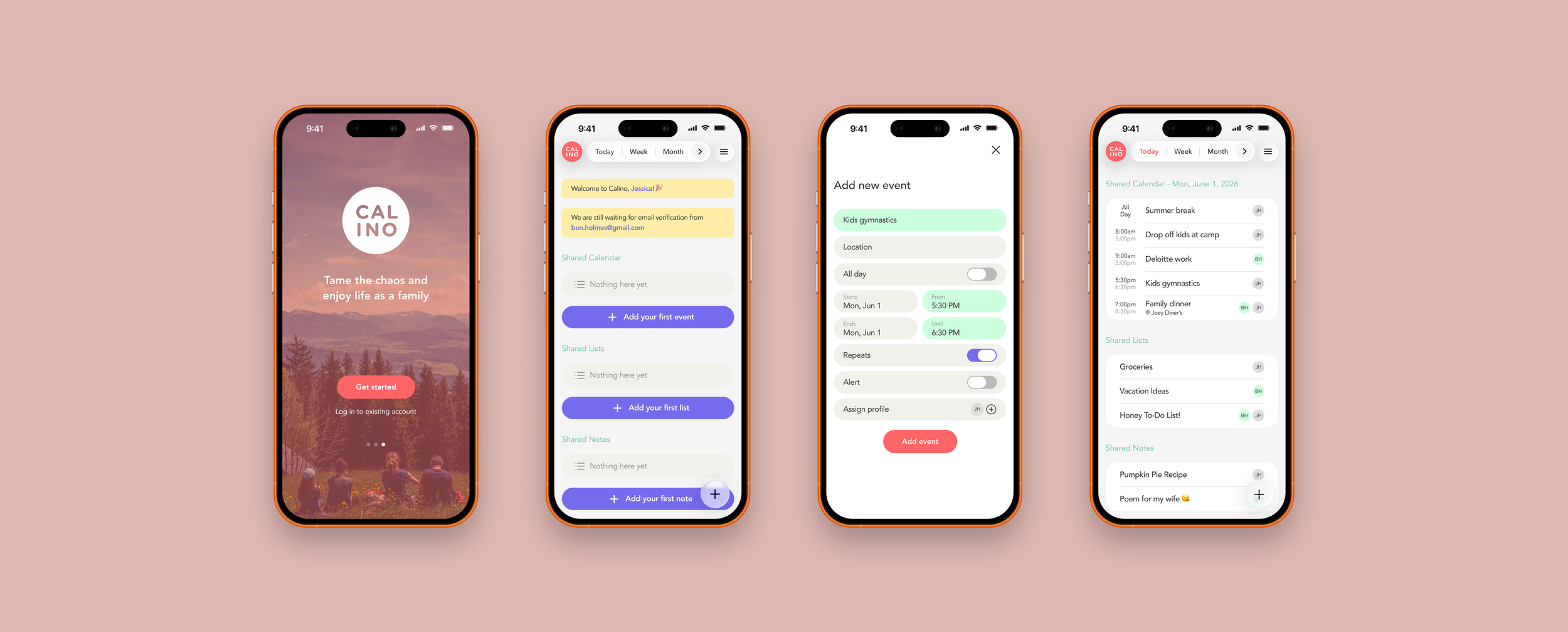
Calino: Family Scheduling App
A mobile app concept that simplifies family planning by combining calendars, lists, and notes into one shared experience.
ROLE
UX Researcher & Product Designer
TIMELINE
6 weeks
SCOPE
End-to-End App

“Where are the kids? Didn’t your mom pick up the kids? 😠”
“Oh sh*t! Sorry babe, I completely forgot to grab milk from the grocery store. 🫤”
“Wait. You work this Friday night?! You said you’re off so I made a reservation! 😡”
Sound familiar?
If you are part of a busy working family, you face challenges keeping everyone on the same page due to disconnected calendars, scattered communication, and inconsistent planning habits. As a result, families often experience scheduling conflicts, missed events, and unnecessary household stress.
The Challenge
I wanted to explore how a centralized family planning experience could reduce friction and improve communication between family members and caregivers.
Research & Discovery
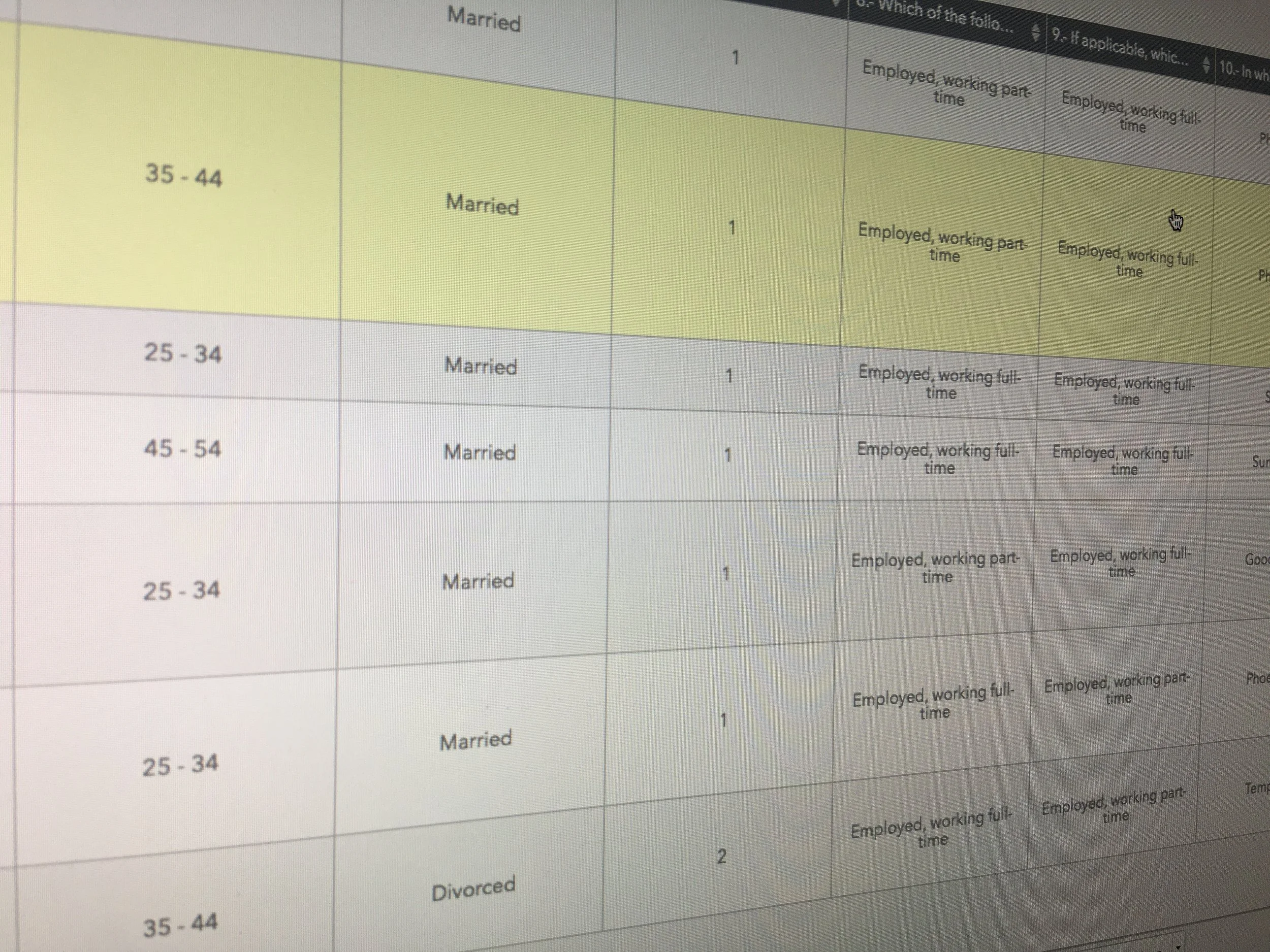
Research Methods
To better understand how families manage daily schedules and coordinate responsibilities, I conducted interviews and surveys with working parents and caregivers to uncover common challenges, behaviors, and unmet needs.
5 user interviews and 10 surveys
Participants ages 31–54
Working parents and caregivers
Married and divorced households
Key Insights
Family schedules change constantly
Parents struggled to keep track of multiple calendars, school activities, work schedules, and caregiving responsibilities.
Communication relied heavily on memory
Participants frequently used texts, verbal reminders, sticky notes, and phone alarms to coordinate plans.
Visibility was the biggest need
Participants consistently wanted an easy way to see everyone’s schedules and plans in one place.
Most used native apps by families
From surveys, the most used apps for family scheduling and daily planning are: iPhone Calendar (87%), Google Calendar (43%), Notes (30%), and Reminders (15%).
Existing tools were fragmented
Families often relied on a mix of digital and physical tools—from calendar and notes apps to paper planners and whiteboards—making it difficult to keep everyone aligned.
The families have shared needs
They want to be able to see each other’s schedules and plans at any time
Competitive Analysis
I evaluated family organization tools including Cozi, Picniic, Hub Family Organizer, Curago, and Family Organizer. While most offered calendars and task management, many suffered from cluttered interfaces, feature overload, or disconnected experiences. This revealed an opportunity to create a simpler, more unified solution focused on daily family coordination.
*Personas and storyboards are not included in this case study.
Defining the MVP
Based on user research and competitive analysis, I identified two core MVP features.
Integrated Dashboard
Combines:
Calendar events
Lists
Notes
Into a single daily view.
Real-Time Family Sync
Allows family members to:
Share schedules
Share lists
Share notes
Receive updates automatically
These features directly addressed the most common user pain points: fragmented tools and communication breakdowns.
User Flow & Concept Development
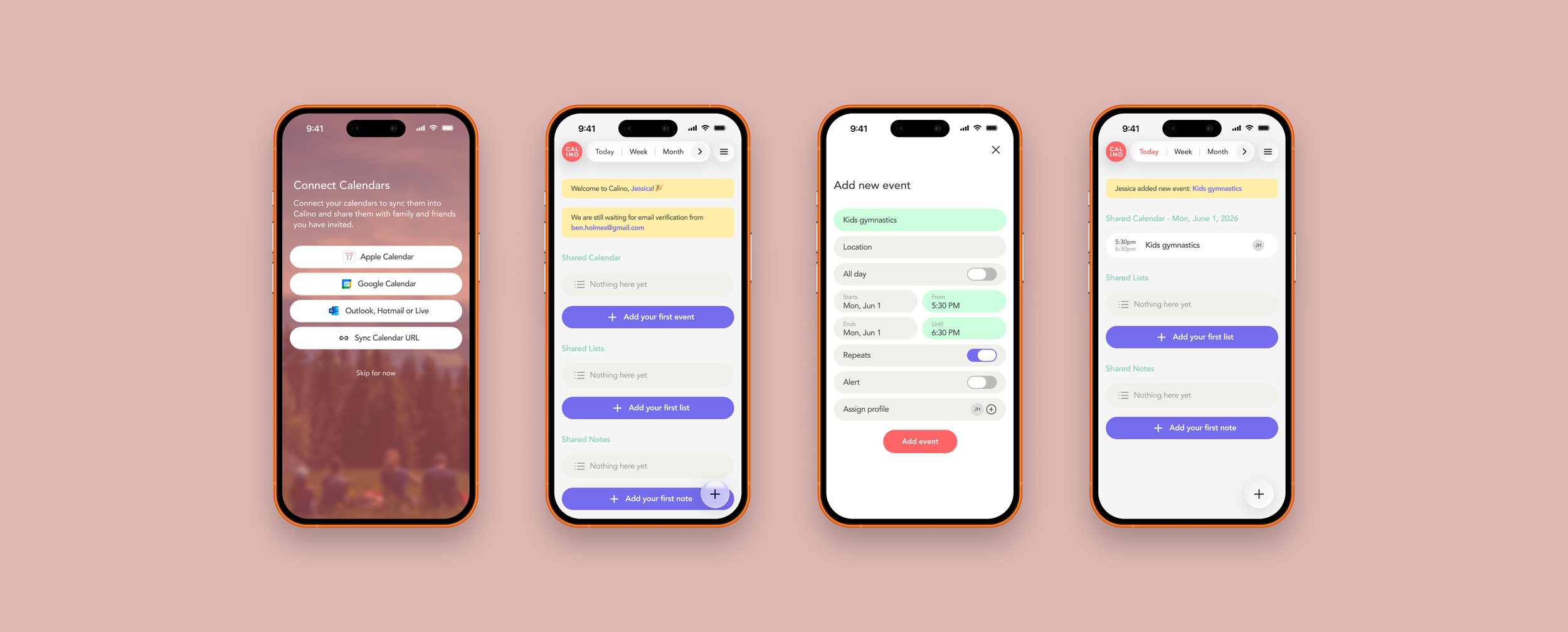
I mapped the core user journey from onboarding through calendar import, family members invitation, and daily planning tasks. The flow prioritized quick setup and immediate value by surfacing schedules, tasks, and notes from a single dashboard.
Usability Testing
Conducted usability testing across multiple prototype iterations with three participants (ages 34–45), representing the target audience of busy parents.
Paper Prototype
Task scenarios: Sign up, invite new members and add their calendars.
Participants liked:
Participants found onboarding straightforward
They appreciated calendar imports
“Signing up is pretty straightforward.”
“I like that I can add my Google calendar.”
Issues discovered:
Inconsistent heart icon placement
Confusing save interactions
“I don’t like how the heart icon’s location is inconsistent.”
“I wish I don’t have to tap the heart icon every time I have to save or close the screen.”
The “heart icon” was initially designed as the app's logo and primary task button but was later removed due to usability and ambiguity issues.
Design Changes:
Added dedicated save actions
Added close buttons
Repurposed heart icon usability and behavior
Participants liked:
Clean dashboard
Integrated experience
Immediate visibility of new tasks
Lo-Fi Prototype
Task scenarios: Add a new list, add a new note, and add a new calendar event.
Issues discovered:
Heart icon meaning unclear
Dashboard struggled with long notes/lists
Some labels lacked clarity
“It’ll be nice if I can minimize the note on the dashboard.”
Design Changes:
Reworked icon strategy
Added onboarding guidance
Improved task descriptions
Explored expandable and minimizable content
Hi-Fi Prototype
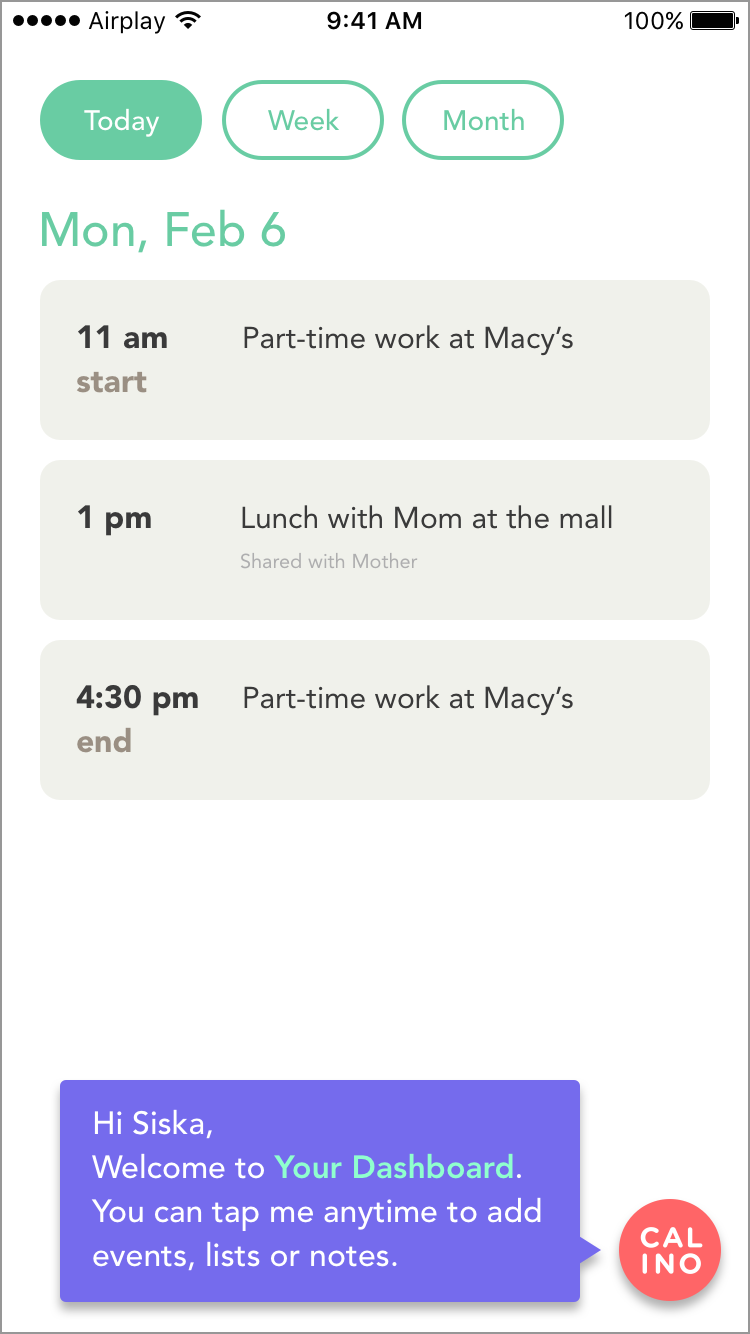
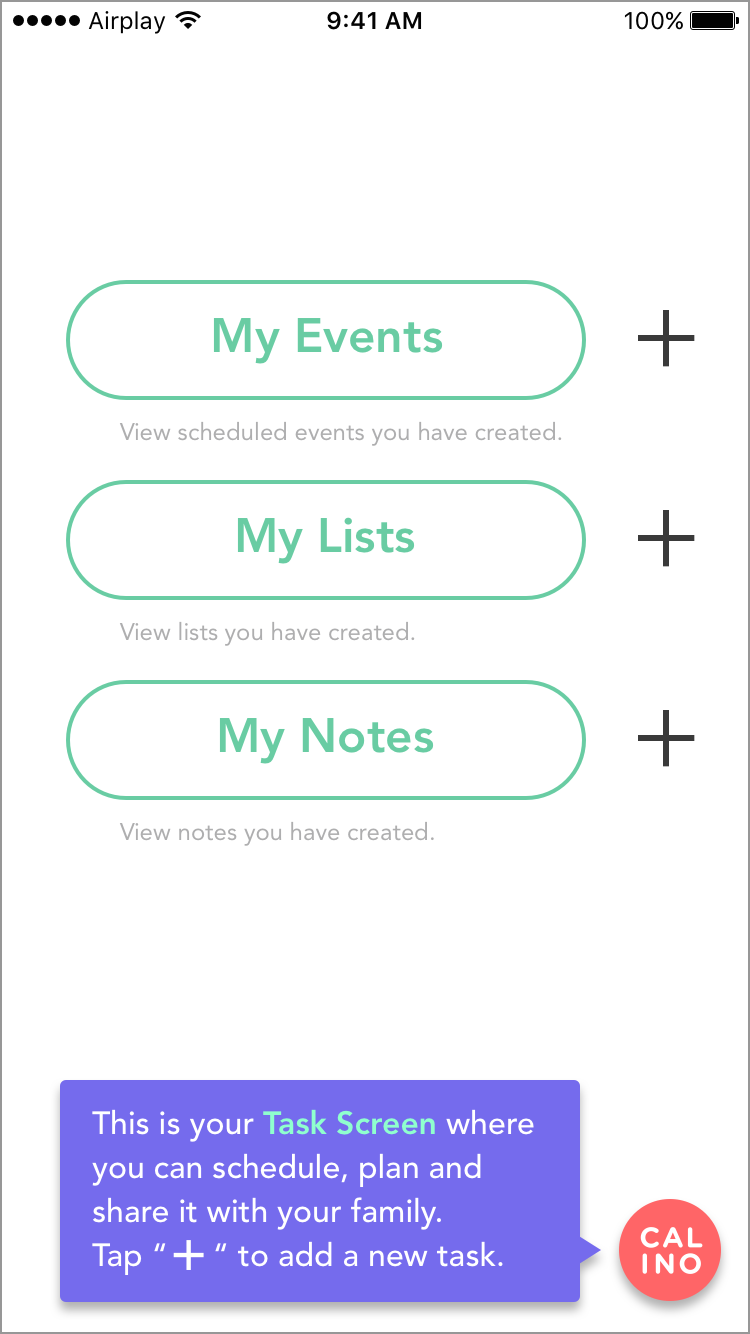
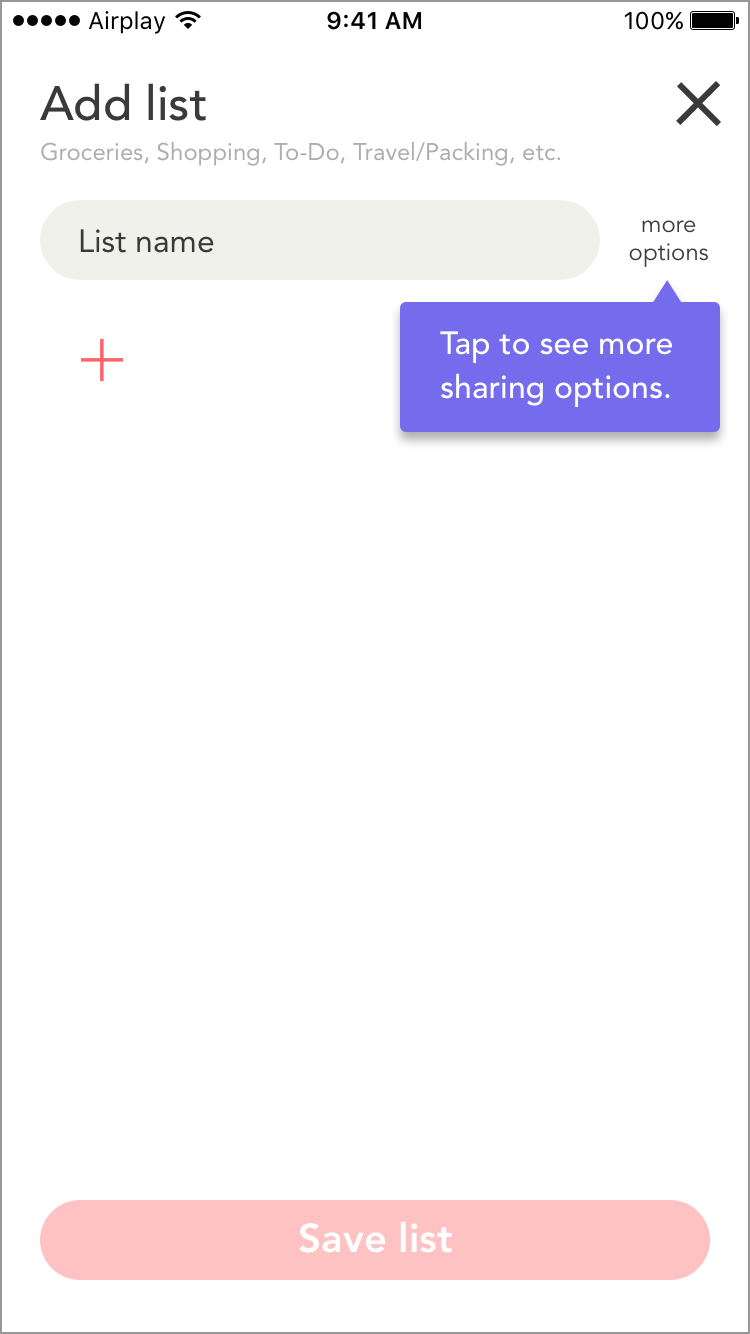
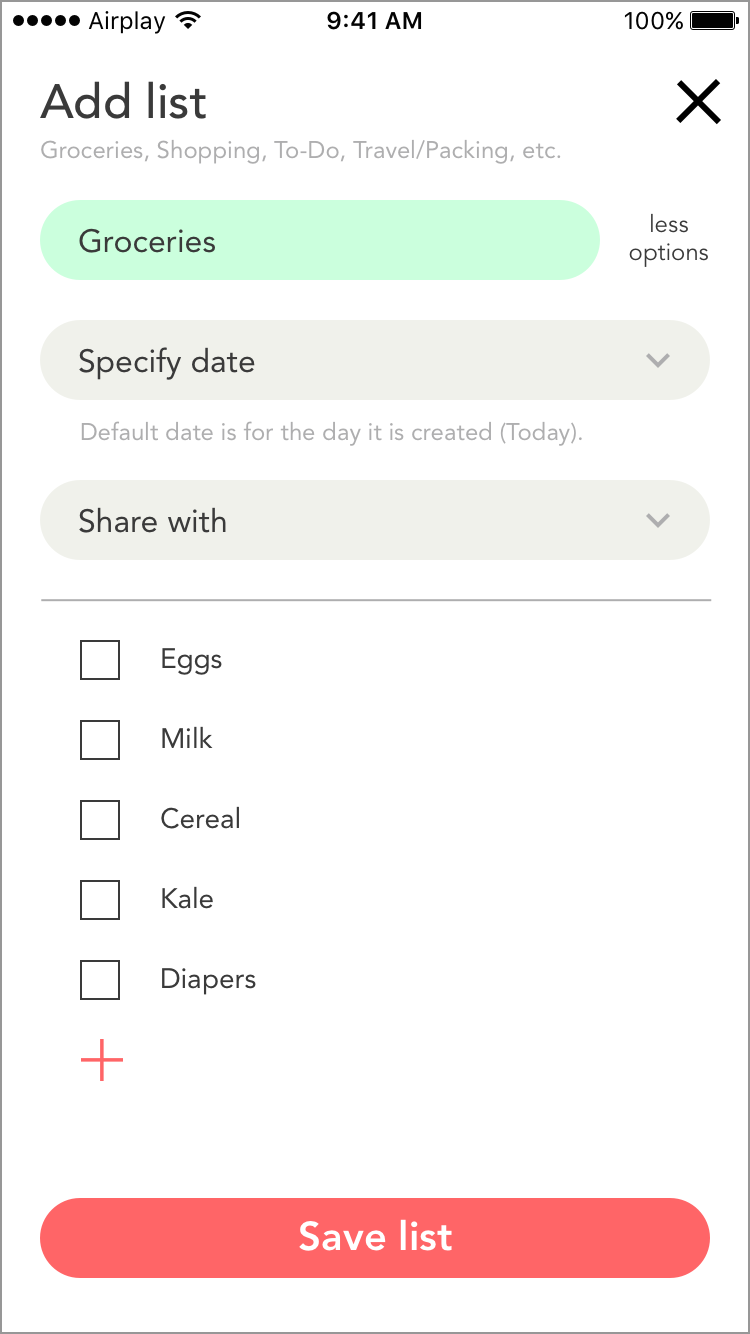
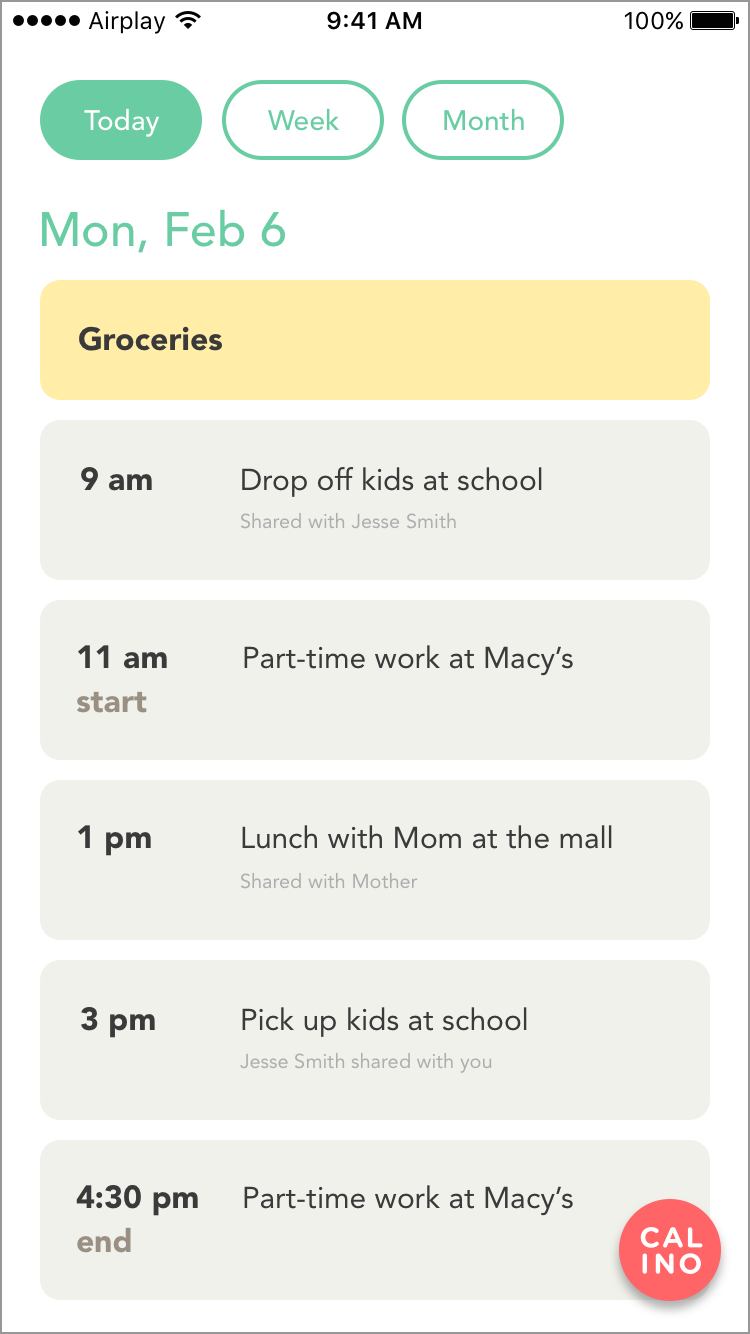
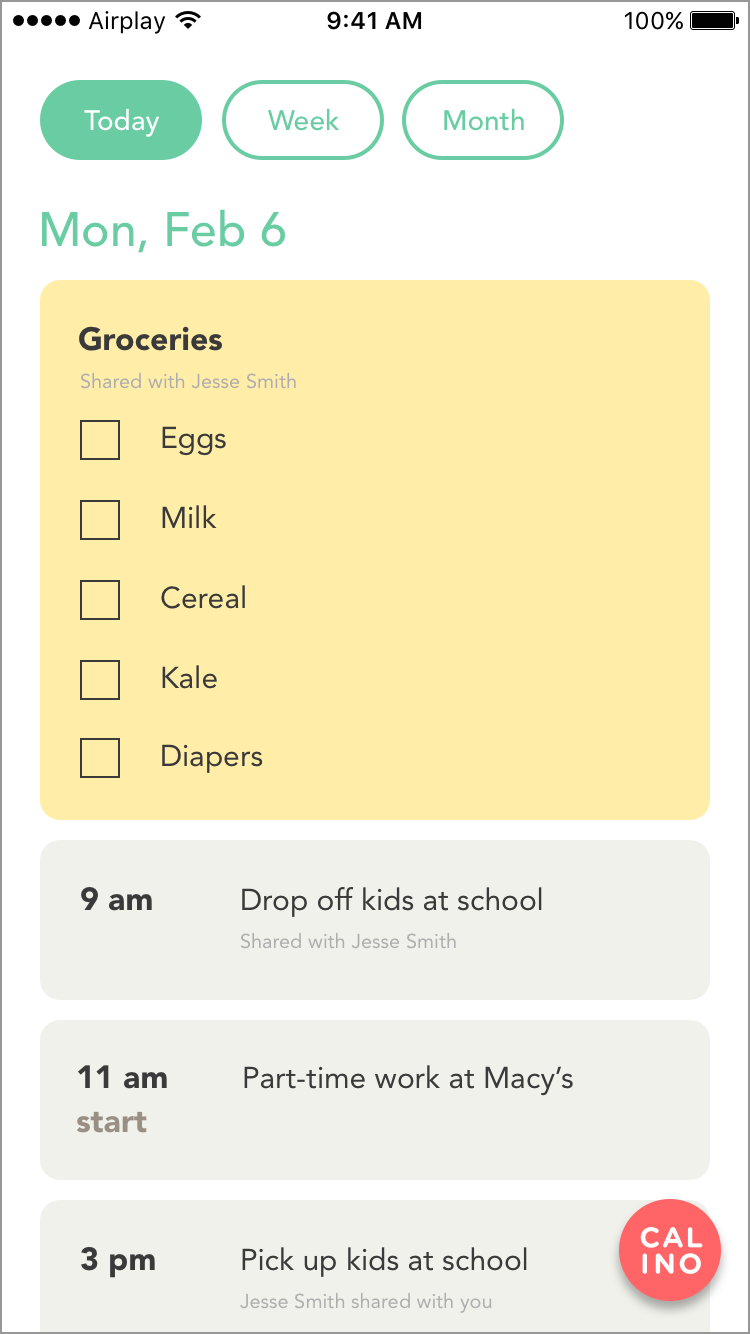
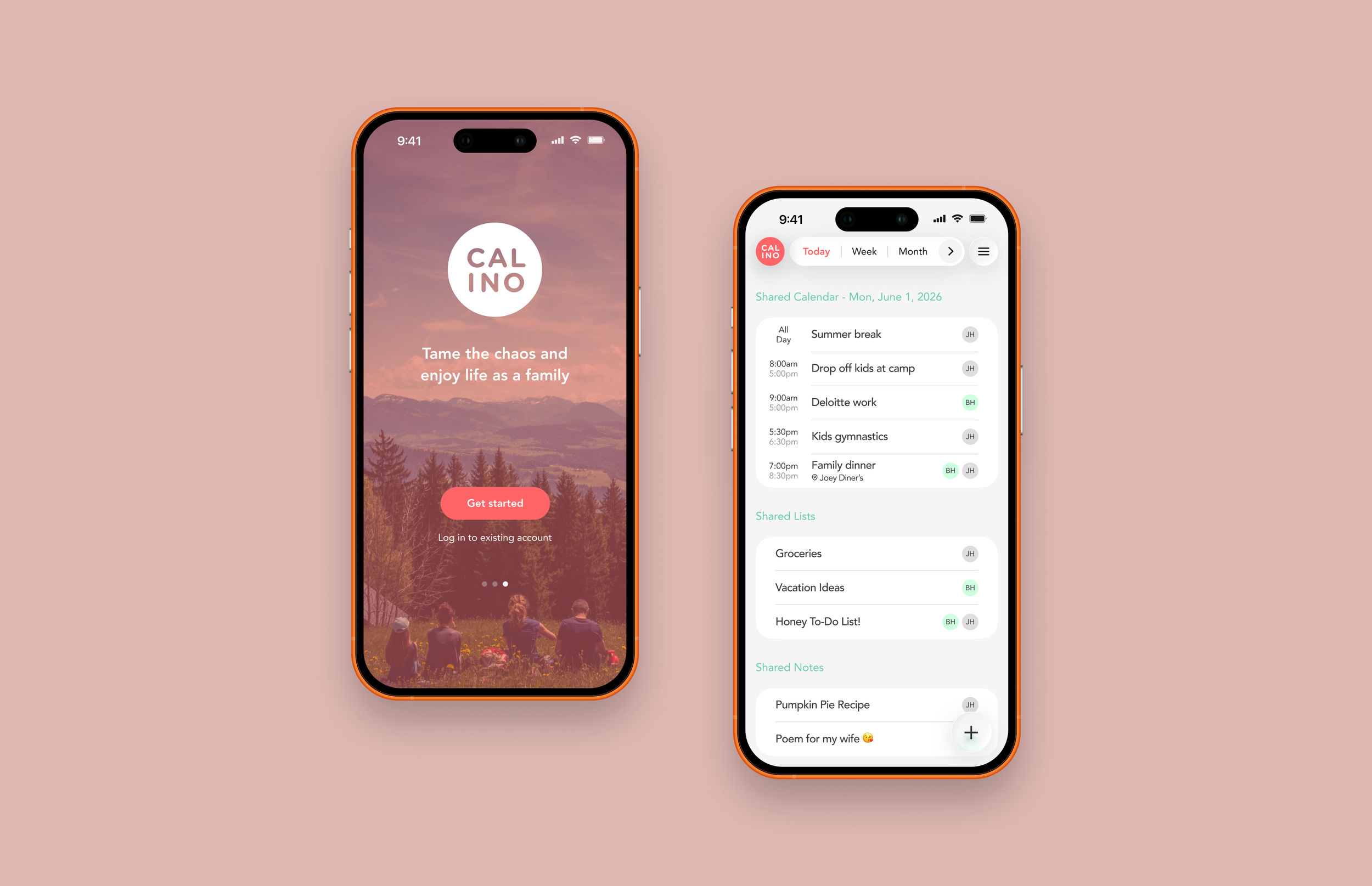
Based on insights from the initial usability testing of the MVP, I designed a high-fidelity prototype focused on these core features.
Shared Family Dashboard
A centralized view of the family's schedules, lists, and notes.
Simplified Task Creation
Quickly create events, lists, and notes with a single tap.
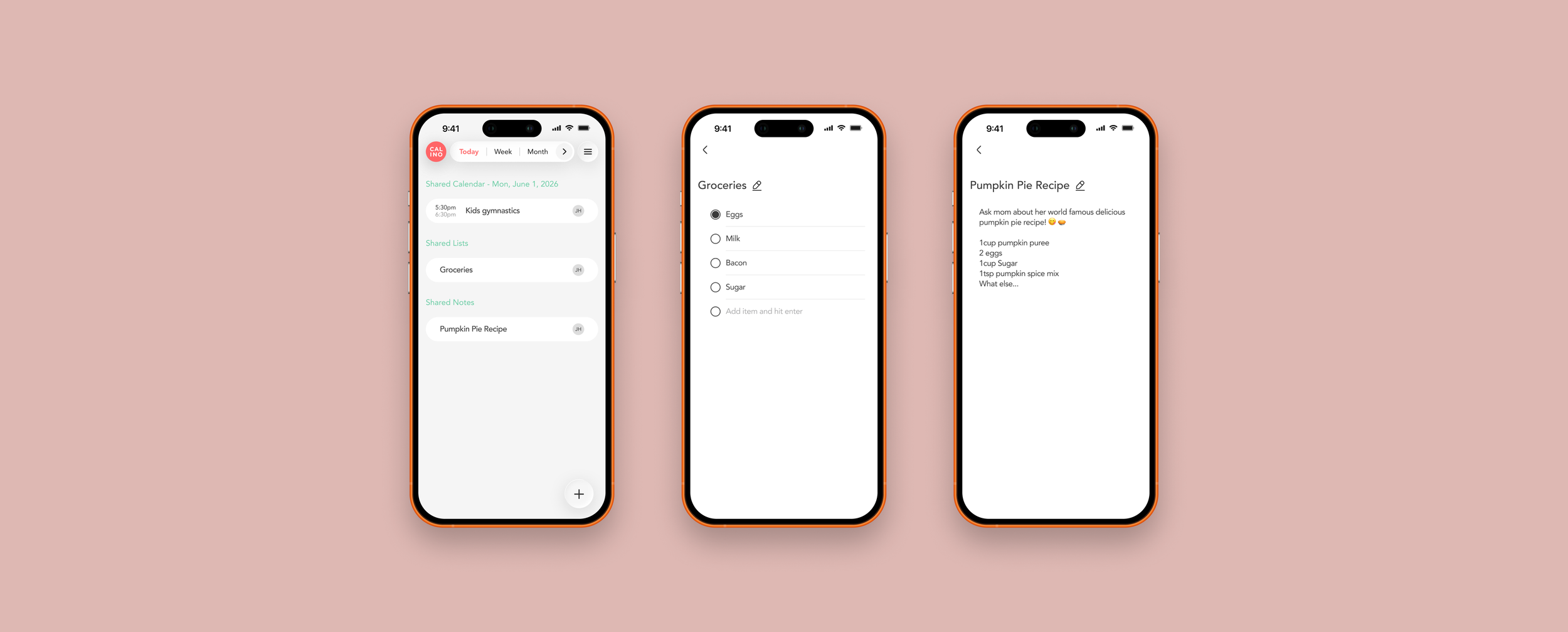
Real-Time Sync
Keeps families aligned with real-time updates, so nothing falls through the cracks.
Iterations & Refinements
Several years after its original conception, I revisited Calino with a fresh perspective. While preserving its core MVP and user-centered vision, I redesigned the experience using modern UI patterns, improved interactions, and a scalable design system.
Reflections
Looking back on this project, one of my biggest learnings was the importance of validating assumptions early and often. While users loved the concept of an integrated dashboard, usability testing revealed that consolidating multiple content types into a single view introduced new challenges around information density and discoverability.
This reinforced the importance of thoughtfully organizing content, establishing a clear visual hierarchy, and designing for scalability. Comparing the initial and final dashboard iterations illustrates how user feedback shaped a more intuitive and organized experience.
Future Opportunities
If I continued evolving Calino, I would explore adaptive dashboard layouts, accessibility enhancements, AI-powered planning, and deeper integration with existing calendar ecosystems. This project reinforced the importance of iterative design, user feedback, and balancing powerful features with simplicity. Future enhancements include:
Shared Household Workflows
Assign tasks and responsibilities across family members.
Smart Family Dashboard
Automatically prioritizes today's most important activities.
AI-Powered Planning Assistant
Uses AI to suggest reminders, optimize schedules, and automate recurring tasks.
Smart Predictive Lists
Suggests categories and list items based on previous activity.
Intelligent Conflict Detection
Alerts family members when schedules overlap.
Voice Integration
Sync with Siri, Alexa, and Google Home.